> For the complete documentation index, see [llms.txt](https://docs.tornadoeth.cash/llms.txt). Markdown versions of documentation pages are available by appending `.md` to page URLs; this page is available as [Markdown](https://docs.tornadoeth.cash/tornado-cash-classic/deposit-and-withdraw.md).
# Deposit & Withdraw
Learn how to deposit and withdraw securely with Tornado Cash Classic. A step-by-step guide to ensure private, anonymous transactions on Ethereum
This tutorial is a step-by-step explanation of how to deposit & withdraw your funds. If you want to understand how the internal system of Tornado.cash works, please refer to this [tutorial](/tornado-cash-classic/how-to-connect-your-wallet.md).
## **Deposit**
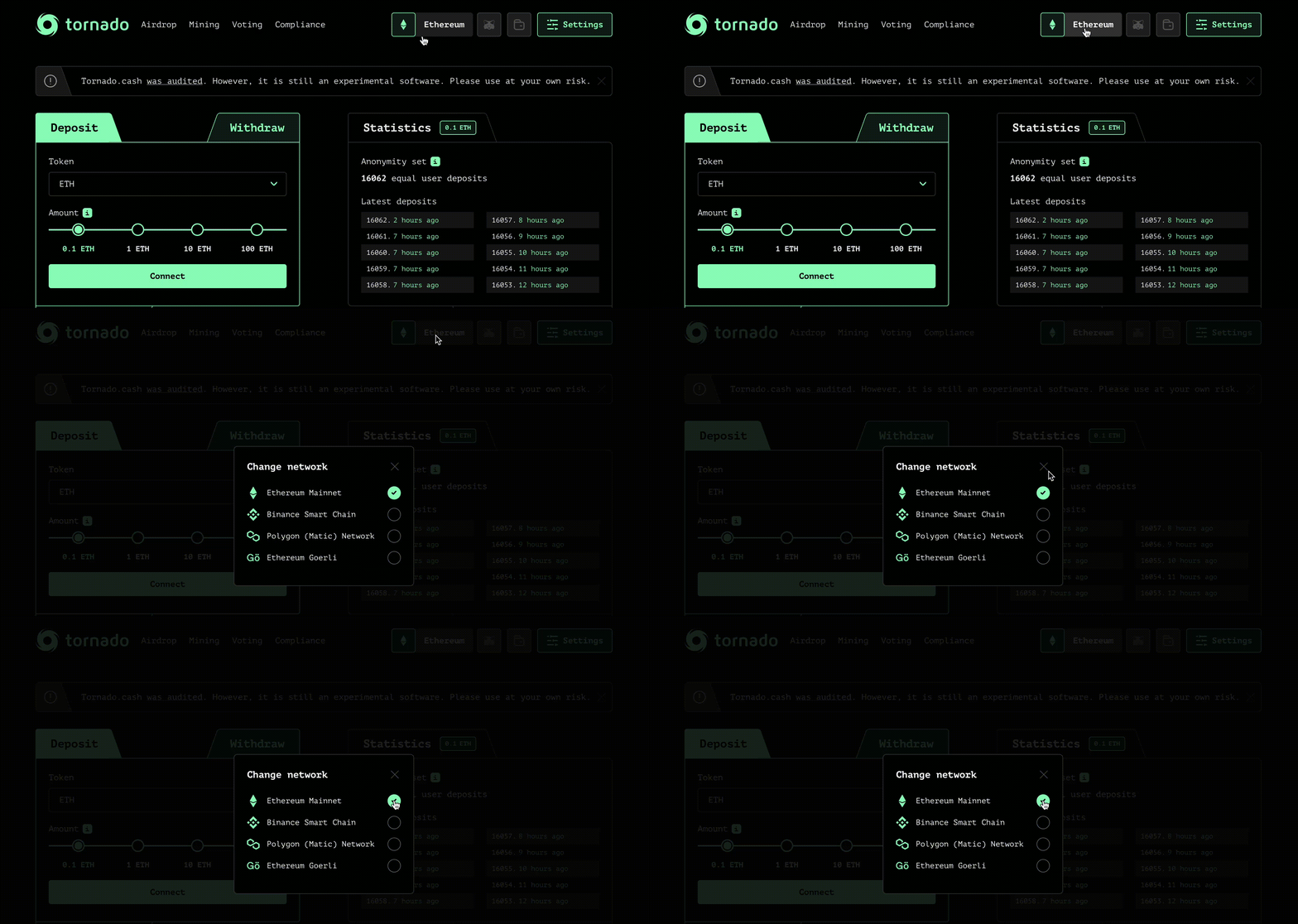
### Choose a chain
[Tornado cash](https://tornadoeth.cash) is available on several blockchains, so you will have to choose among 4 chains:
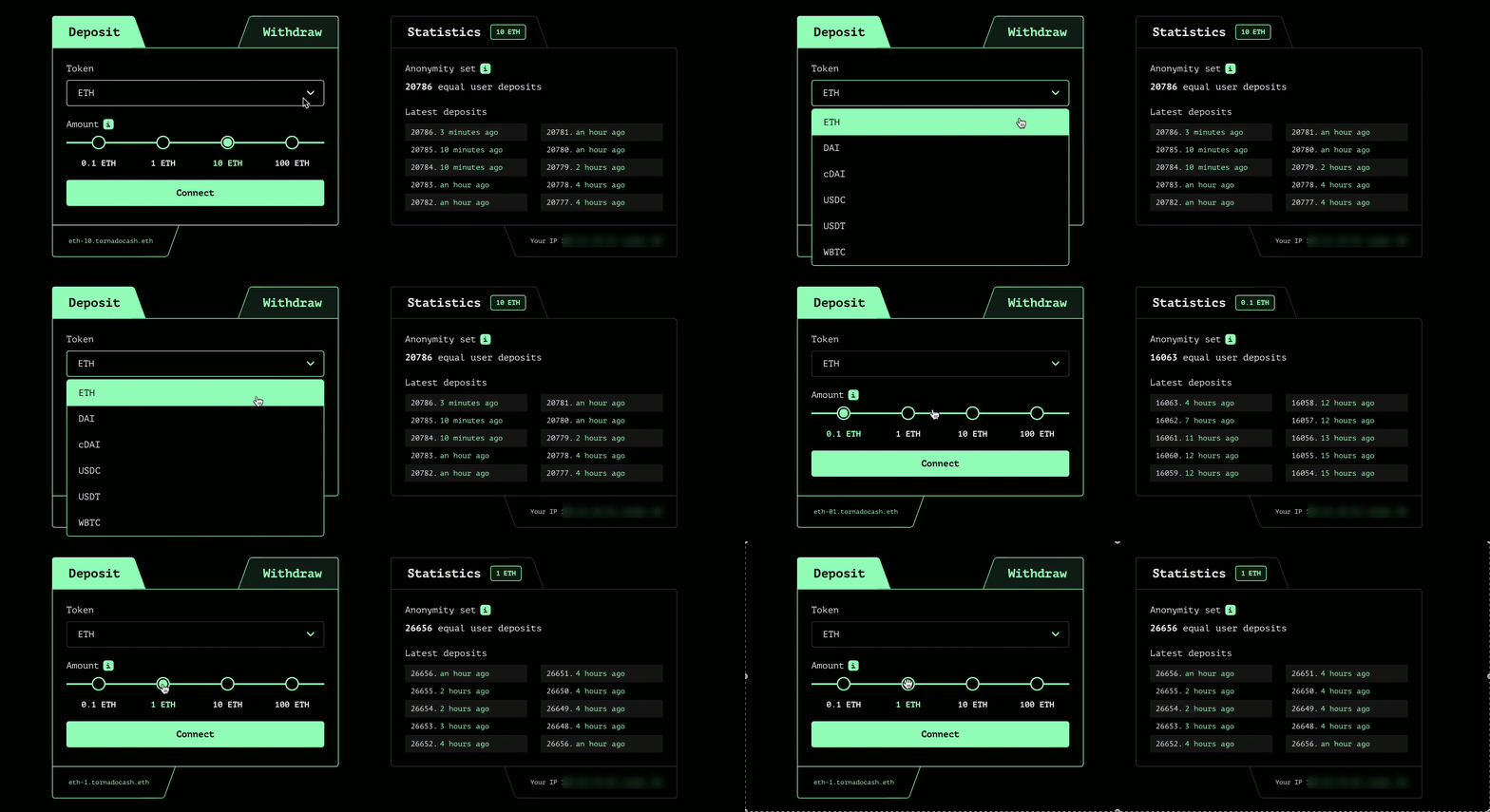
### Select a token
Choose the token you want to deposit and its amount:
### Connect your wallet
Click on `Connect` and choose between wallet providers such as Metamask or WalletConnect.
### Save your note
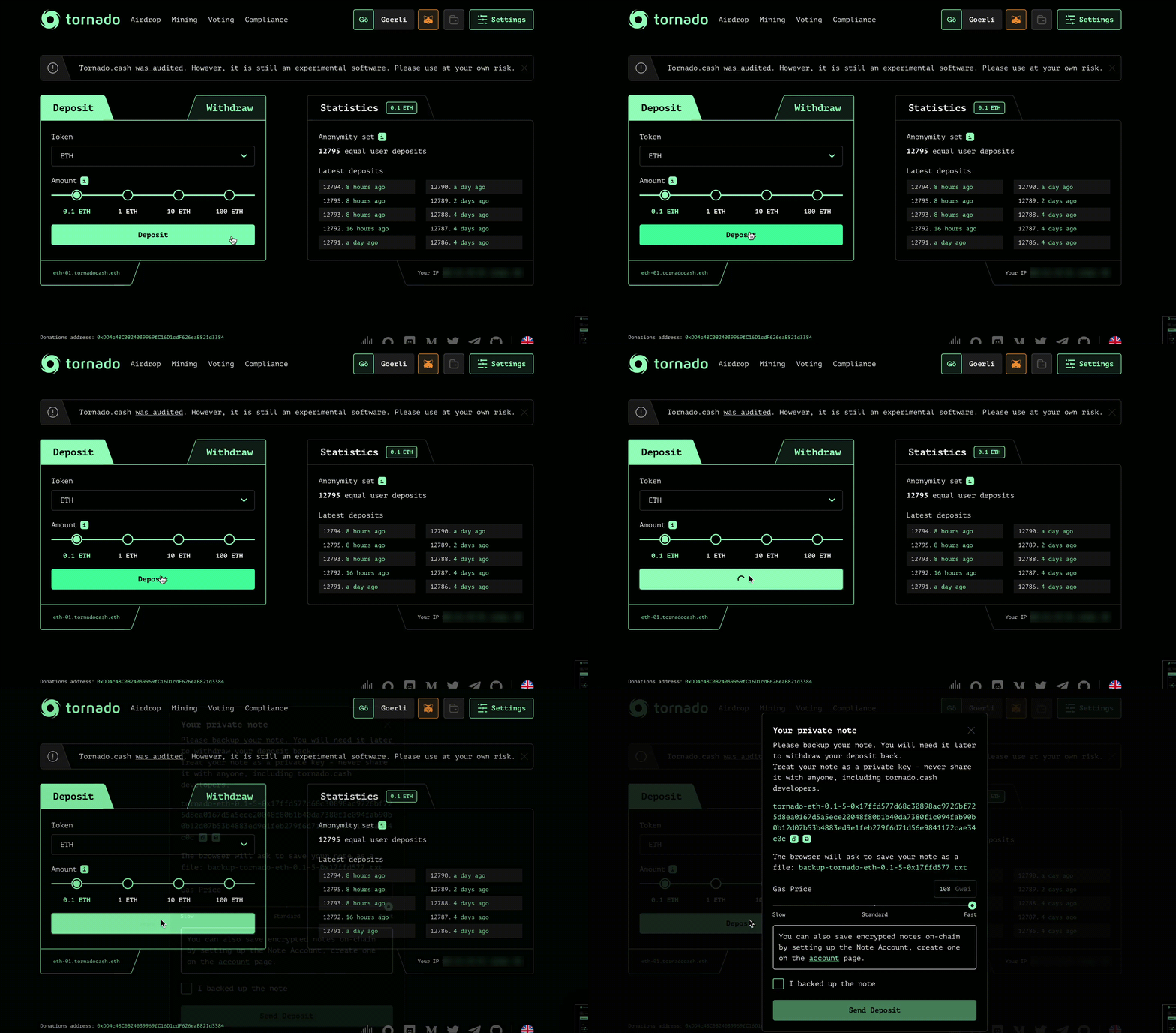
Click on `Deposit` and store your note on a secure place before clicking on `I backed up the note`. You can also save encrypted notes on-chain by setting up a Note Account, by clicking on `Settings` (top-right corner).
### Be patient
As explained [here](https://tornadoeth.cash), the longer you wait, the greater your anonymity set will be.Congrats ! You did it. Now your tokens are on the Tornado.Cash pool.
## Withdraw
### Choose a chain
[Tornado cash](https://tornadoeth.cash) is available on several blockchains, so you will have to choose among 4 chains:
### Paste your note
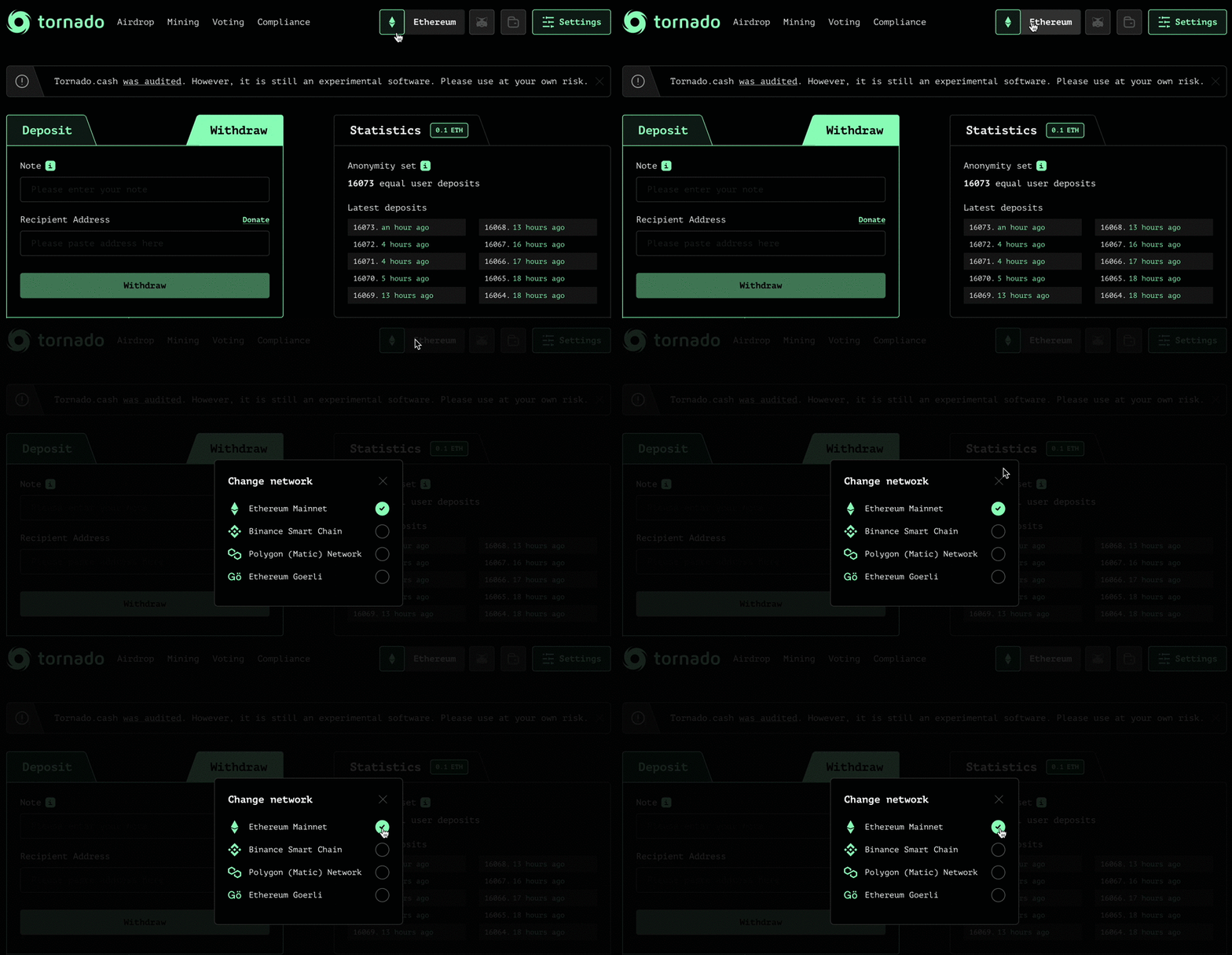
Use your deposit note by pasting it in the corresponding box. Click on `Withdraw` and wait for the zk-Snark proof to be generated.
### Confirm the withdrawal
Done !

 ### Select a token
Choose the token you want to deposit and its amount:
### Select a token
Choose the token you want to deposit and its amount:
 ### Connect your wallet
Click on `Connect` and choose between wallet providers such as Metamask or WalletConnect.
### Save your note
Click on `Deposit` and store your note on a secure place before clicking on `I backed up the note`. You can also save encrypted notes on-chain by setting up a Note Account, by clicking on `Settings` (top-right corner).
### Connect your wallet
Click on `Connect` and choose between wallet providers such as Metamask or WalletConnect.
### Save your note
Click on `Deposit` and store your note on a secure place before clicking on `I backed up the note`. You can also save encrypted notes on-chain by setting up a Note Account, by clicking on `Settings` (top-right corner).
 ### Be patient
As explained [here](https://tornadoeth.cash), the longer you wait, the greater your anonymity set will be.Congrats ! You did it. Now your tokens are on the Tornado.Cash pool.
## Withdraw
### Choose a chain
[Tornado cash](https://tornadoeth.cash) is available on several blockchains, so you will have to choose among 4 chains:
### Be patient
As explained [here](https://tornadoeth.cash), the longer you wait, the greater your anonymity set will be.Congrats ! You did it. Now your tokens are on the Tornado.Cash pool.
## Withdraw
### Choose a chain
[Tornado cash](https://tornadoeth.cash) is available on several blockchains, so you will have to choose among 4 chains:
 ### Paste your note
Use your deposit note by pasting it in the corresponding box. Click on `Withdraw` and wait for the zk-Snark proof to be generated.
### Confirm the withdrawal
### Paste your note
Use your deposit note by pasting it in the corresponding box. Click on `Withdraw` and wait for the zk-Snark proof to be generated.
### Confirm the withdrawal
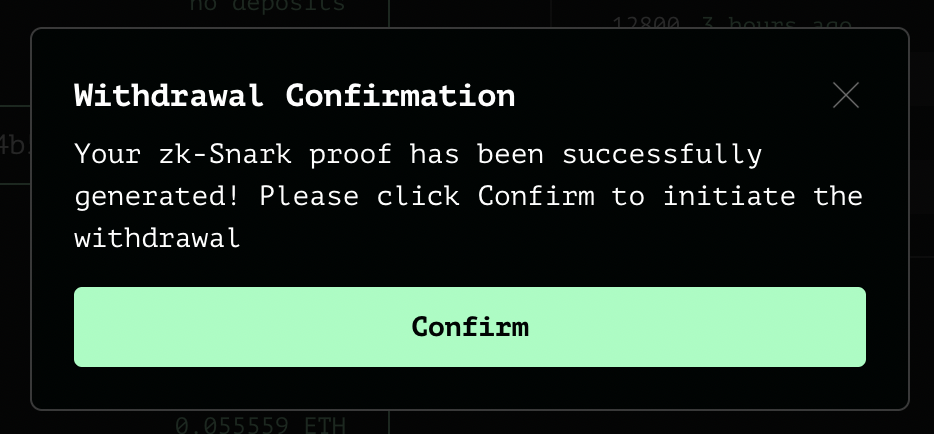 Done !